Live messages: get encouragement while you run
New Cobbr option: turn on live messages in New race, and your supporters use the same link to send voice notes that play as soon as they arrive.

You set up a race, share your Cobbr link with family and friends, and they record voice encouragements that play at chosen kilometers. That has always been the core of Cobbr. There is now an extra option on top of that flow: live messages, so a message can reach your ears as soon as someone sends it while you are running.
No second link. No new app for your supporters. One setting before the start, and the same share you already use.
What it is (and what it is not)
Kilometer messages remain the default mode. A supporter picks a km (or a mile, depending on your unit), records a voice note, and Cobbr plays it when you hit that point. You know in advance that at 5k, 15k, or 30k, someone is waiting for you.
Live messages sit alongside that. Once the race is underway, your people can see that you are racing and send a message right away. As soon as it arrives, it plays in your headphones—same kind of encouragement as a km message, except it does not wait for a specific point on the course.
This is not a text chat and not a phone call. It is the same style of voice encouragement, with the same in-ear playback, triggered on receipt instead of at a kilometer. Both modes can live on the same race: you keep your scheduled messages, and you can also receive the ones sent live.
The setting is off by default. If you leave it off, nothing changes for you or your supporters: they still leave messages at kilometers as before.
How to turn live messages on
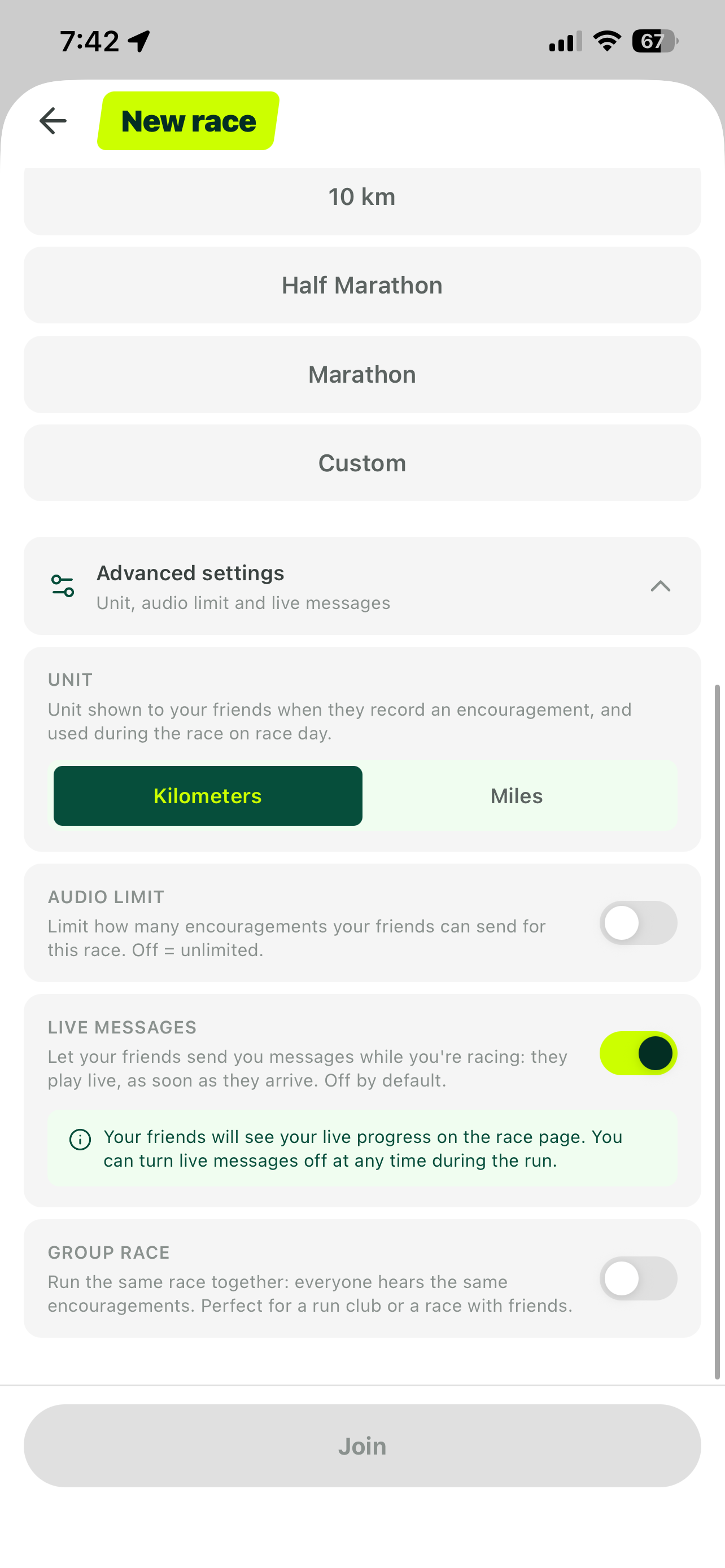
You enable it when you create the race, on the New race screen.
- Open New race and pick your distance (10 km, half marathon, marathon, or custom).
- Expand Advanced settings (subtitle: unit, audio limit and live messages).
- In the Live messages block, flip the toggle on.
The in-app copy is direct: let your friends send you messages while you are racing; they play live as soon as they arrive; off by default. Below the toggle, an info box adds two practical details: your friends will see your live progress on the race page, and you can turn live messages off at any time during the run.
You can still choose your unit (kilometers / miles) and, if you want, an audio limit for the race. Those options stay independent of live. When you are ready, join the race as usual, share the link, and let people record their kilometer messages—with the added option to send live once you have started.
How it works for your supporters
Supporters use the same link they already use to leave kilometer messages. No second QR code, no extra signup, no separate “live mode” for them to hunt down.
Before the start, the race page is mainly for preparing encouragements at kilometers. As soon as you have started your race, they see that you are racing. From then on, they can send live messages in addition to anything already placed on the course.
That means a friend on the couch, a parent watching your progress, or a training partner who could not make it to the course can react when it matters for you—a rough patch, a quiet stretch, a fuel stop, the final kilometers. They do not have to script every message the night before.
They also see your live progress on the race page. That helps them time what they say: no guessing where you are, and less risk of a vocal that lands too early or too late relative to what you are going through.
During the race
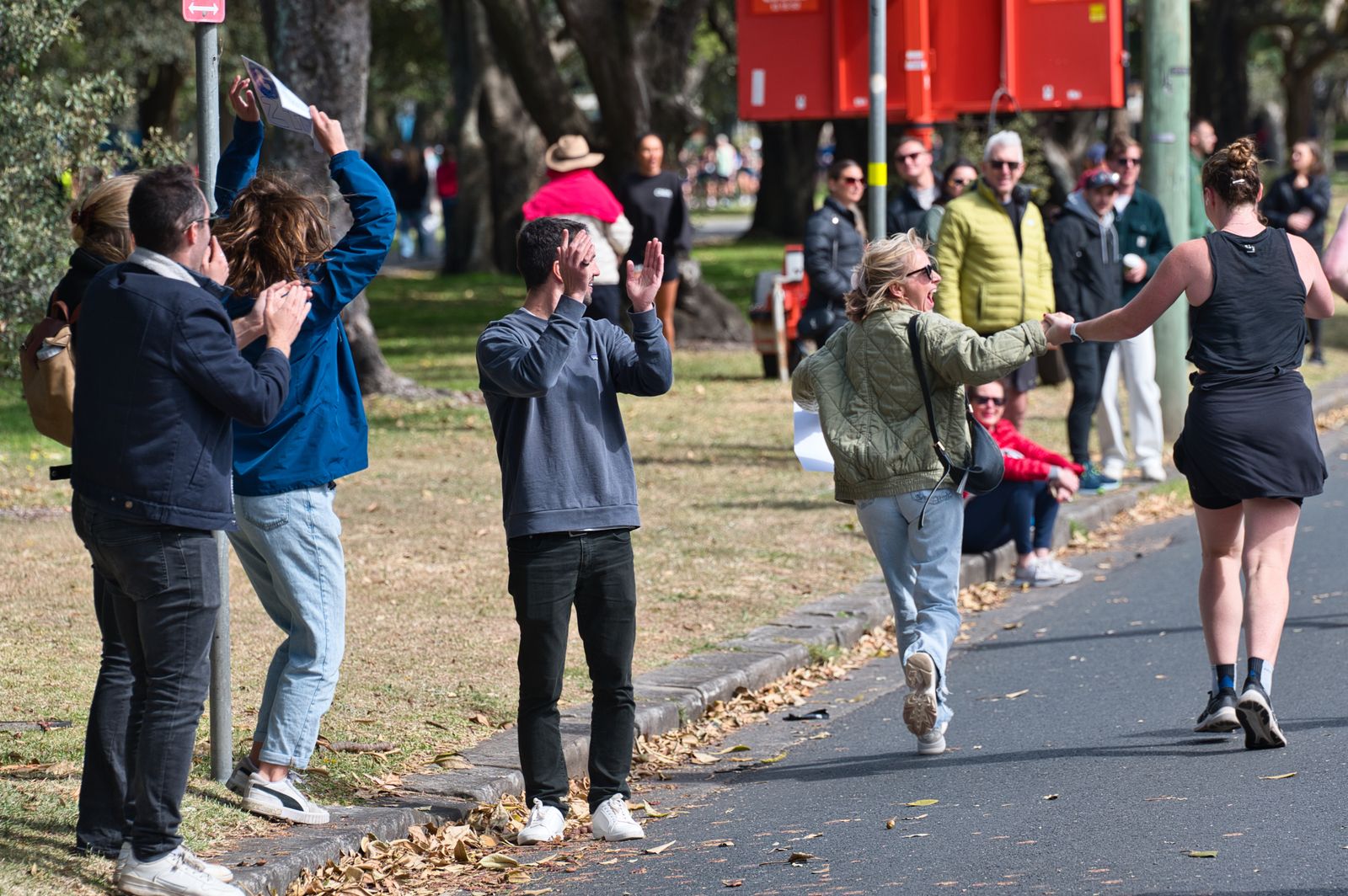
On the runner side, playback feels familiar. Live messages play in your ears like kilometer messages, but on arrival. You do not need to open the app to hear them, and you do not need to accept a call.
You stay in control. The advanced-settings info box says so, and it holds once you are moving: you can turn live messages off at any time during the run. If you need silence, if you want to lock onto a pace, or if you simply have enough encouragement for now, you switch live off without losing the messages already scheduled at kilometers.
That balance matters. Real-time support is useful—being able to mute it without guilt is useful too.
Who it is for
Kilometer messages still shine when you prepare ahead: decide who speaks where, build a soundtrack of encouragement across the distance, give people time to record calmly.
Live is most helpful when timing matters, or when you cannot plan every moment:
- First long race (half or marathon): people follow your progress and send something when they see you slow down, or just before a stretch they know will be hard.
- Races with thinner crowds: fewer voices on the roadside, more value in a familiar one at the right second.
- Solo training runs where you still want a bit of presence without building a full playlist of messages.
- Groups of supporters who cannot all be there in person but want to react together while you run.
It can also simply feel reassuring to know someone is on your race page and can speak up if needed—even if most of what you hear that day is still your planned kilometer messages. The option is there; you do not have to overuse it.
If you prefer a strictly planned flow, or you want no interruptions outside the kilometers you chose, leave the toggle off. Cobbr does not push live on you: the default remains kilometer encouragements only.

Wrapping up
Live messages do not replace kilometer messages. They add another path: same link for your supporters, activation in New race → Advanced settings → Live messages, immediate playback once the race has started, and the ability to cut live mid-run.
If you want to try it on your next outing, flip the setting on, share your link as usual, and see what changes when a familiar voice reaches you exactly when it joins you—not only when the kilometer counter says so.