Cobbr is now on Apple Watch ⌚
Your encouragements at the right kilometer, right on your wrist. Here's how it works and how to get your race onto your watch, step by step.
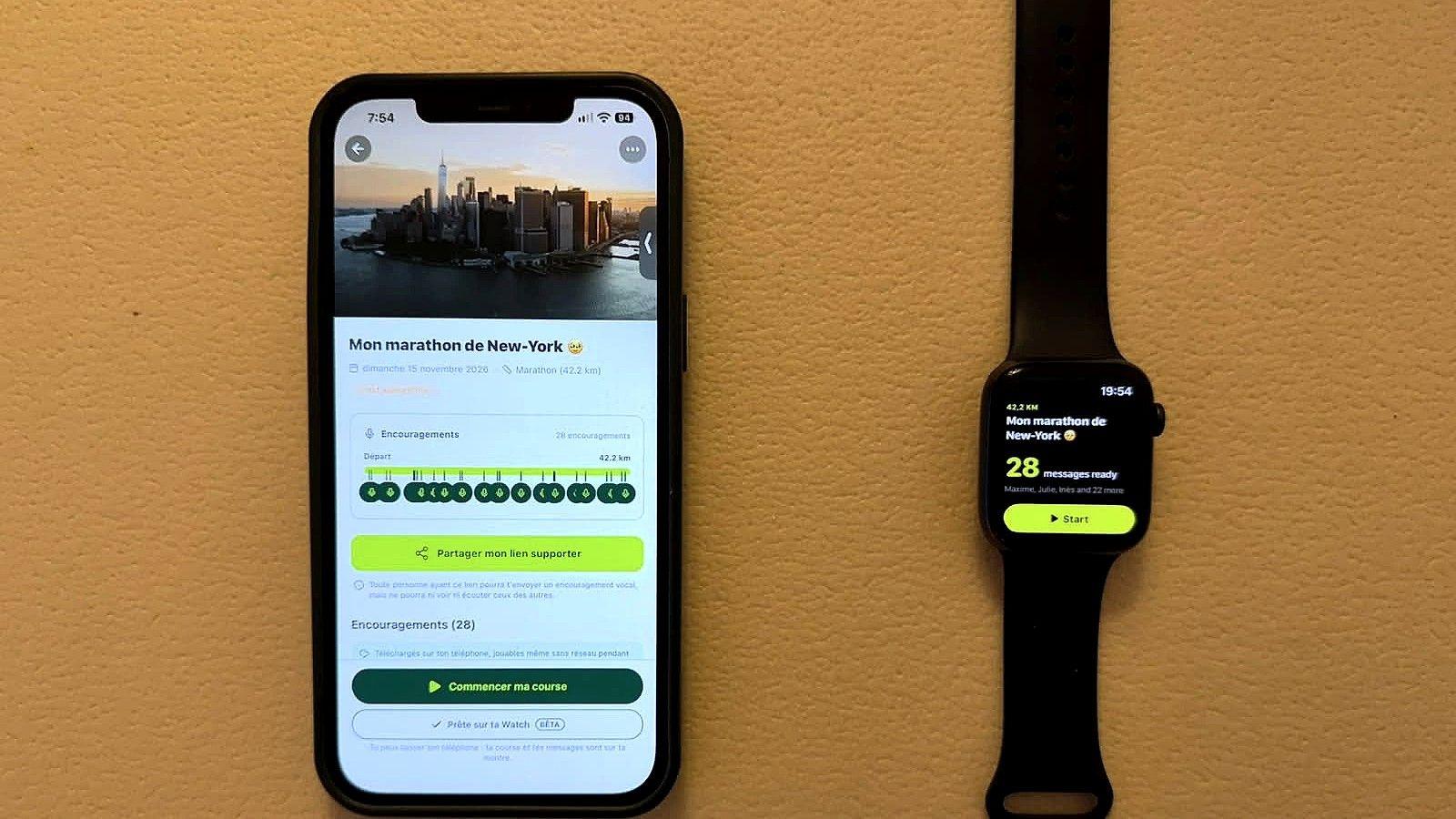
You asked for it (a lot 😄): Cobbr is now available on Apple Watch, in beta. Your friends and family recorded encouragements for your race? They now play at the right kilometer, straight from your wrist.
Your watch runs on its own: before the start, your iPhone puts your race on your watch. During the race, everything happens on your wrist, without your iPhone.
Good to know before running with your watch
- Connect your headphones to your watch, not to your iPhone: otherwise, your encouragements play through the watch speaker.
- Live needs a connection on your watch: without one, live tracking and live encouragements are turned off.
- You can only listen to the encouragements synced to your watch: the ones sent later won't be available.
- Running with your iPhone? We recommend starting Cobbr on your iPhone rather than on your watch: you'll get every feature.
With a connection on your watch (a cellular watch, for example), your friends follow your progress live and can send you live encouragements during your race. They land on your watch and play right away, with a small LIVE badge.
Cobbr on your watch, in a nutshell
The idea stays the same: your friends and family record encouragements, each one set to a kilometer of your race, and Cobbr plays them at the right moment. What's new is that your watch runs on its own:
- Before the race, on your iPhone: you get your race ready, and it syncs to your watch with your encouragements.
- During the race, on your watch: it tracks your distance with GPS and plays each encouragement at the right kilometer, without your iPhone.
- After the race: it syncs with your iPhone, where you can replay your encouragements.
Once your race is synced to your watch, it can no longer be started from your iPhone. Changed your mind and want to run with your iPhone? Remove the race from your watch, and you'll be able to start it from your phone. The watch is an extra option, never a requirement.
It works with Strava and the Workout app
Cobbr on Apple Watch is a companion: it doesn't start a workout and doesn't replace your usual app. So you can start Strava, the Workout app or your favorite app at the same time, just like always. Cobbr plays your encouragements on top: your music or podcast goes down while someone you love is talking to you, then comes back.
Your stats stay where you've always tracked them, and your encouragements come on top. The best of both worlds.
Step by step: getting your race on your watch
1. On your iPhone, choose to run with your watch
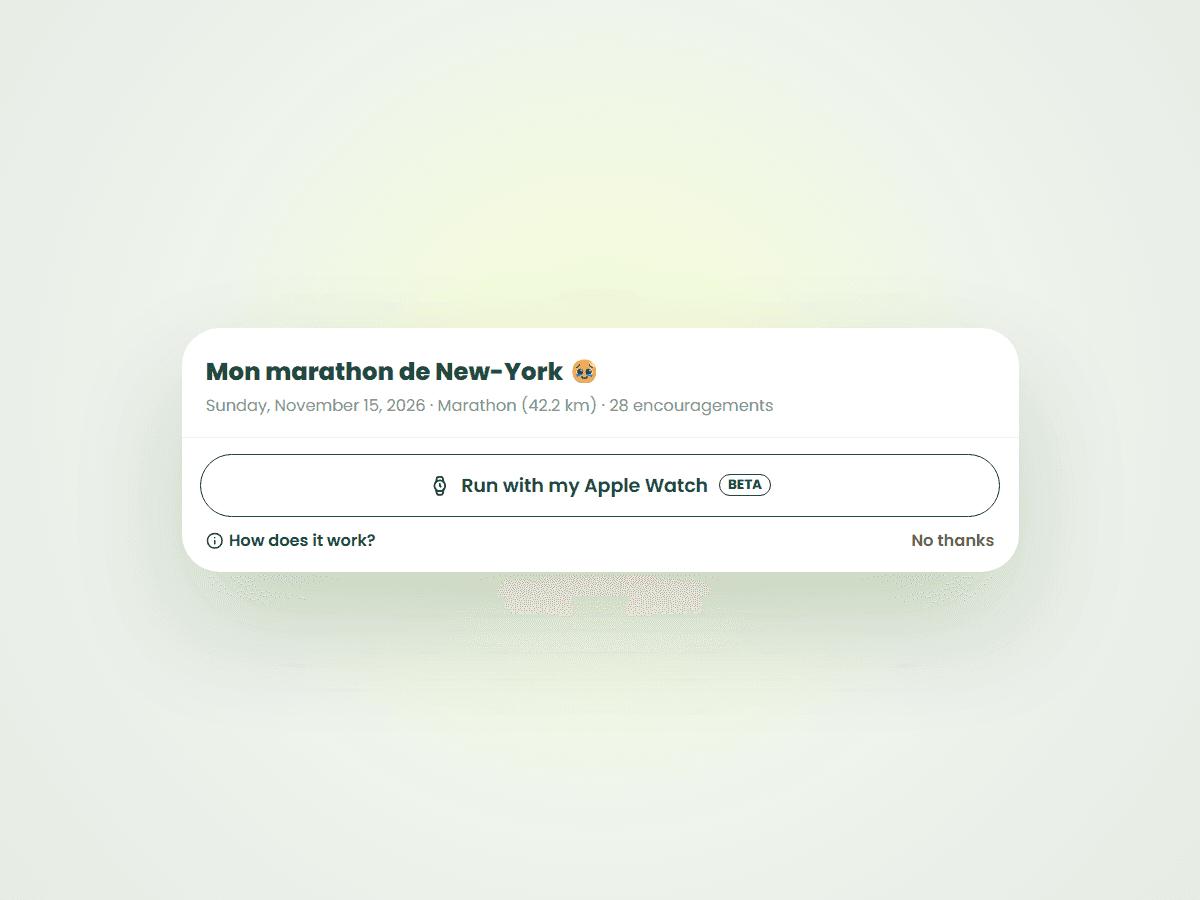
From 7 days before your race, Cobbr offers "Run with my Apple Watch" (Beta badge) at the bottom of your race card, in My races. You'll also find it on the race page, below "Start the race". Tap it, that's it.
It's optional: if you'd rather run with your iPhone like before, tap "No thanks" and nothing changes for you. A question first? Tap "How does it work?" (with the small i icon): it's all explained in a few lines.
2. Let it sync
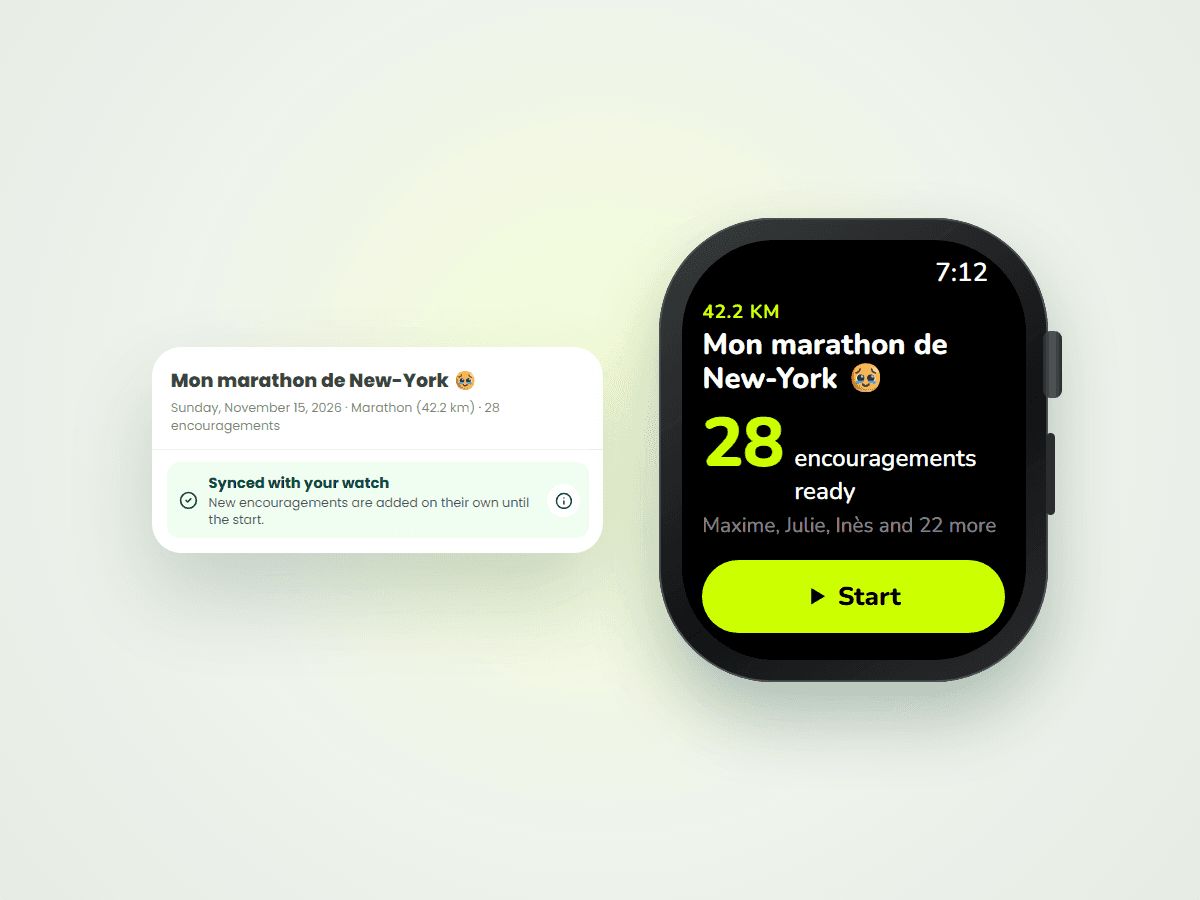
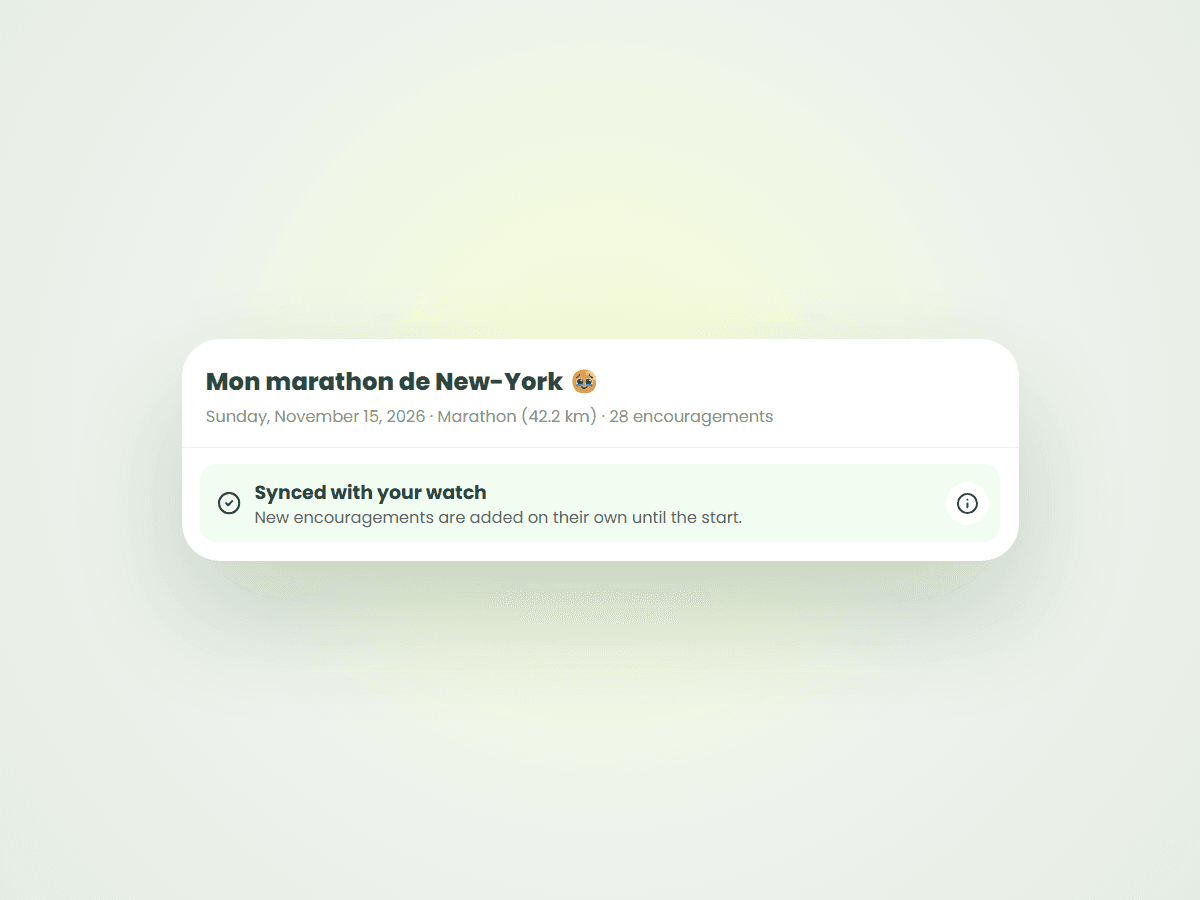
Once you've made your choice, your race and your encouragements sync to your watch on their own. On your iPhone, the race shows "Synced with your watch".
And the encouragements your loved ones record in the following days? They sync to your watch too, right up to the start, without you having to think about it: your watch fetches them by itself. Keep in mind that only the encouragements synced to your watch can be played during your race.
Tap the "Synced with your watch" box (or the i button on the right) to open "How it works": a summary of everything you need to know, a link to this guide ("All about Cobbr and Apple Watch") and, if you change your mind, "Don't run with my watch" to remove the race from your watch and start it from your iPhone.
3. On race day, open Cobbr on your watch
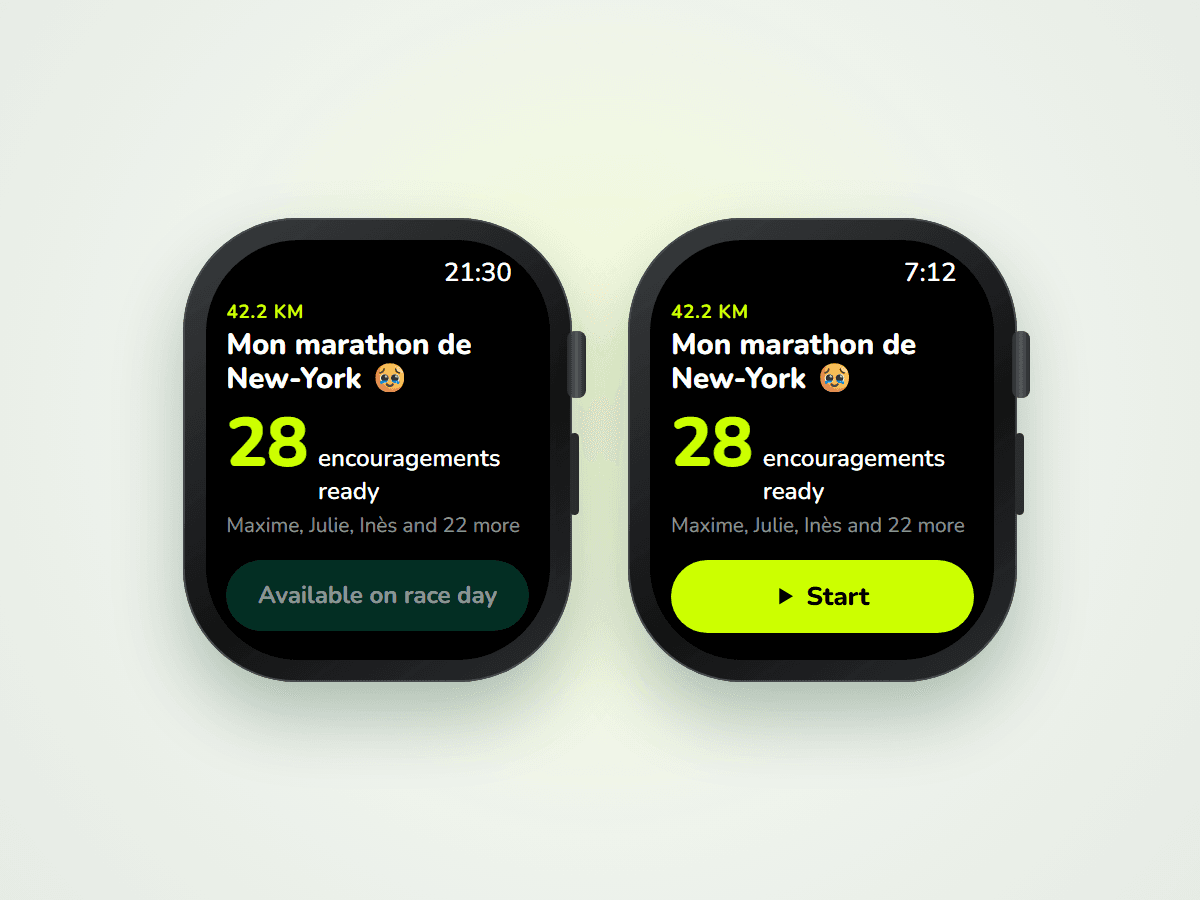
Your race only starts on race day, and from your watch. Before that, you'll just see "Available on race day": no risk of hearing your encouragements too early!
On race day, open Cobbr on your watch and tap Start.
4. "Before you go": making sure everything's ready
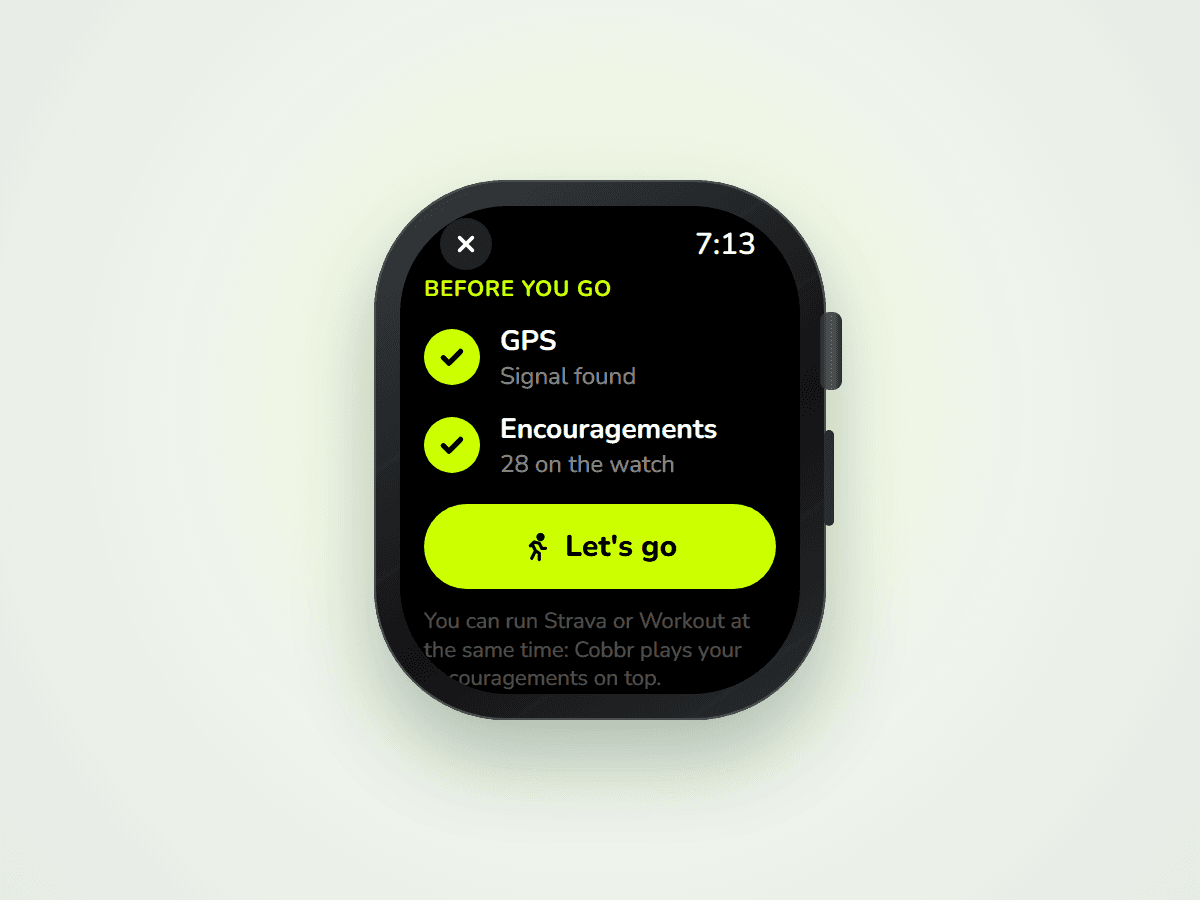
The Before you go screen shows you three things:
- GPS: wait for "Signal found" (ideally outside, a few seconds before you set off);
- your encouragements: how many are on your watch;
- your headphones: connect them to your watch, not your iPhone.
It's also the right time to start Strava or Workout if you use them. When you're ready, tap Let's go.
5. 3, 2, 1… GO!
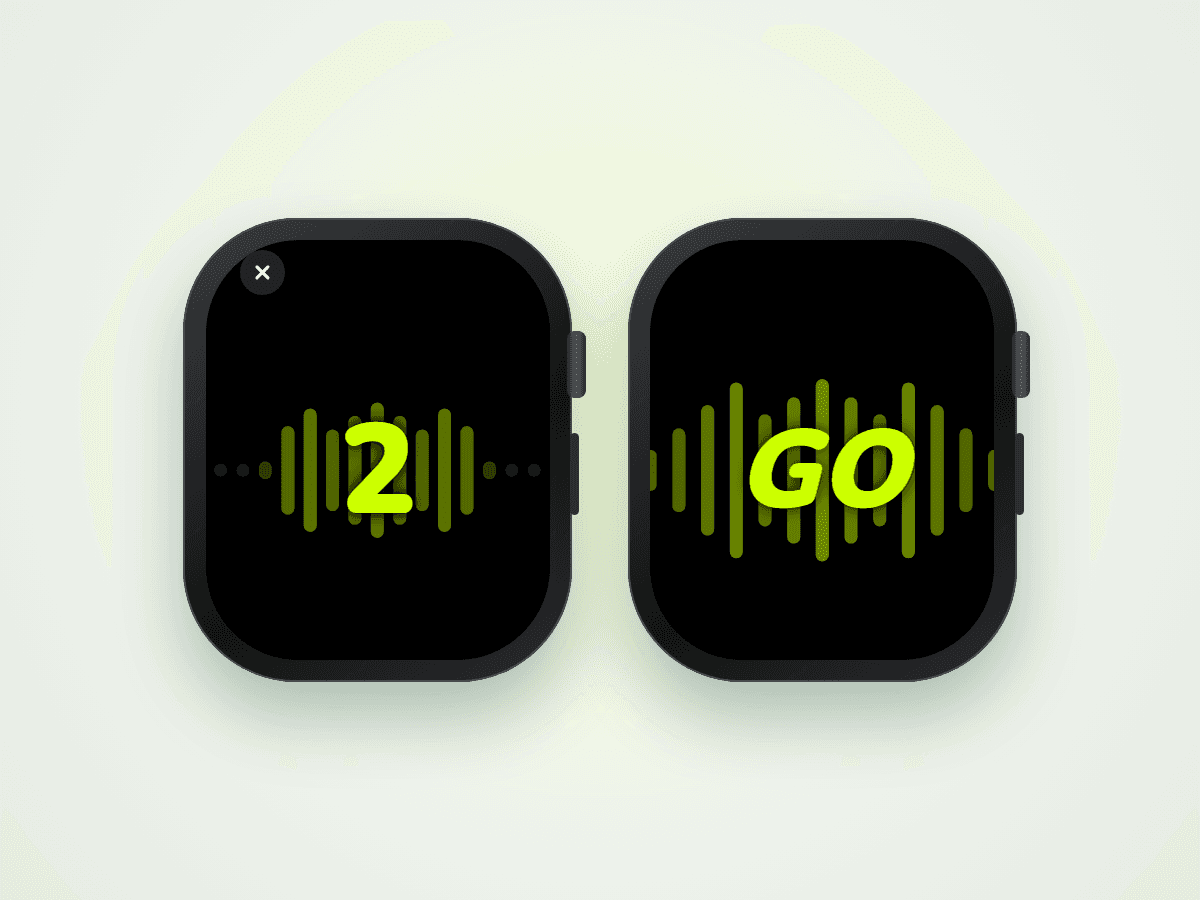
A countdown appears on a black screen, with the Cobbr sound wave rising each second, all the way to GO. Your turn.
6. Run, Cobbr takes care of the rest
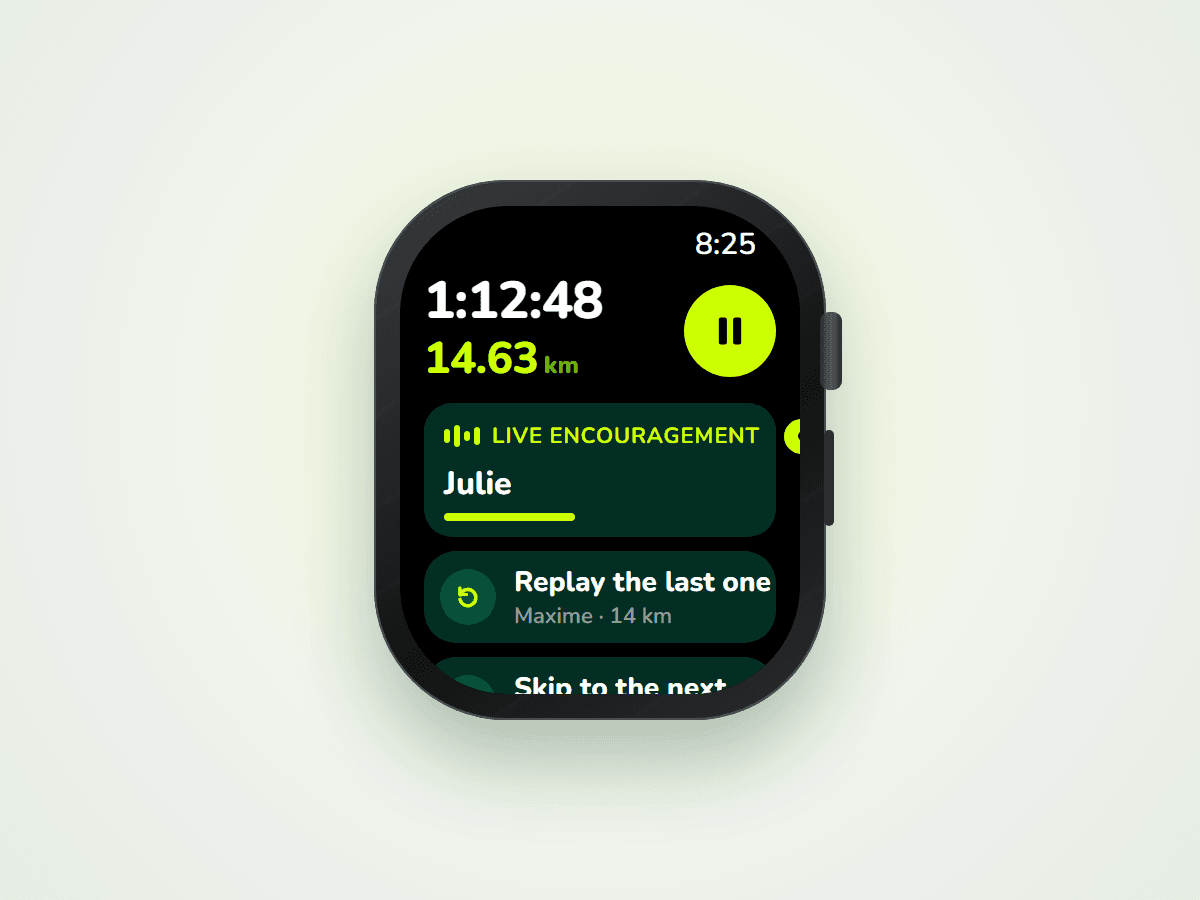
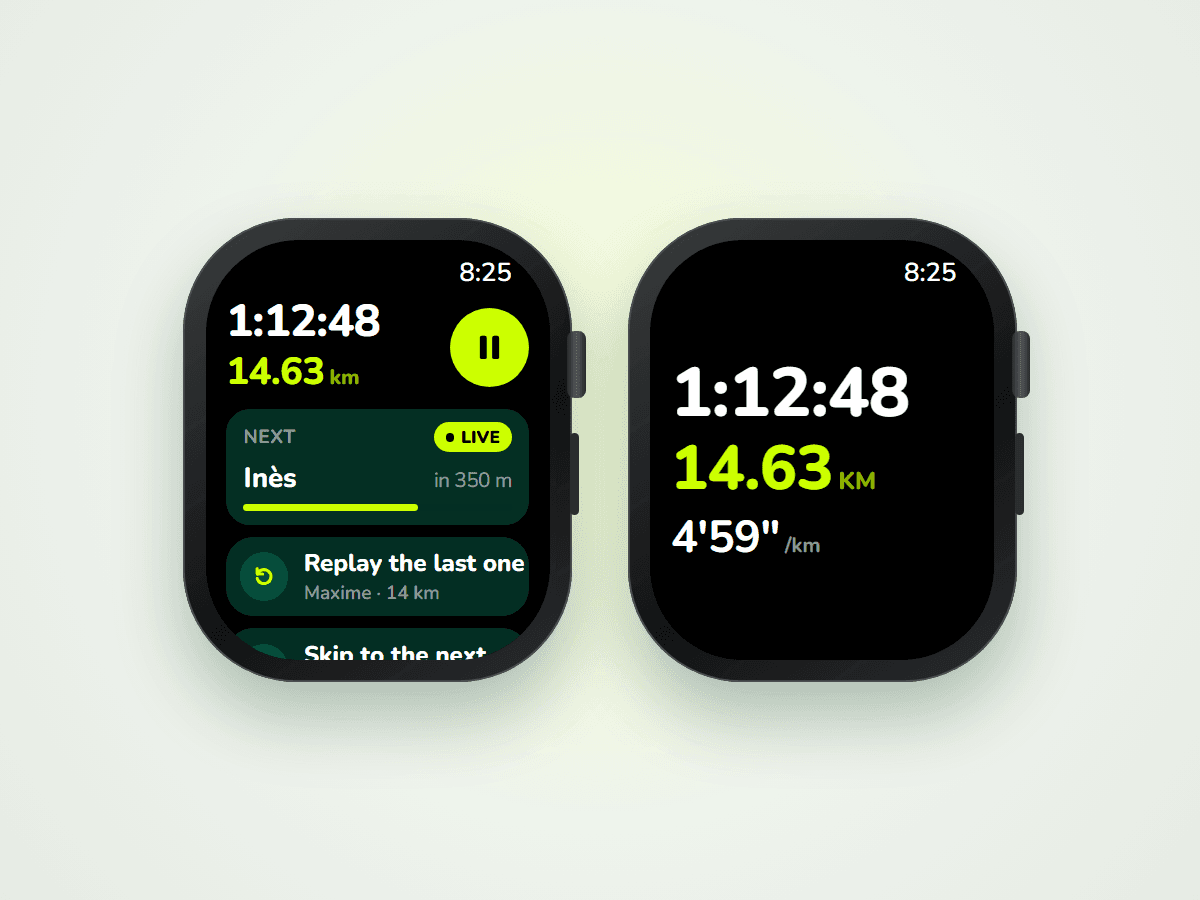
During your race, the screen shows who's talking to you, or who's next and how many meters away. Each encouragement plays at the right kilometer.
You can also replay the last encouragement, skip to the next one or pause. Swipe the screen to see your time and distance in big.
7. Finish line: "Finish the race"
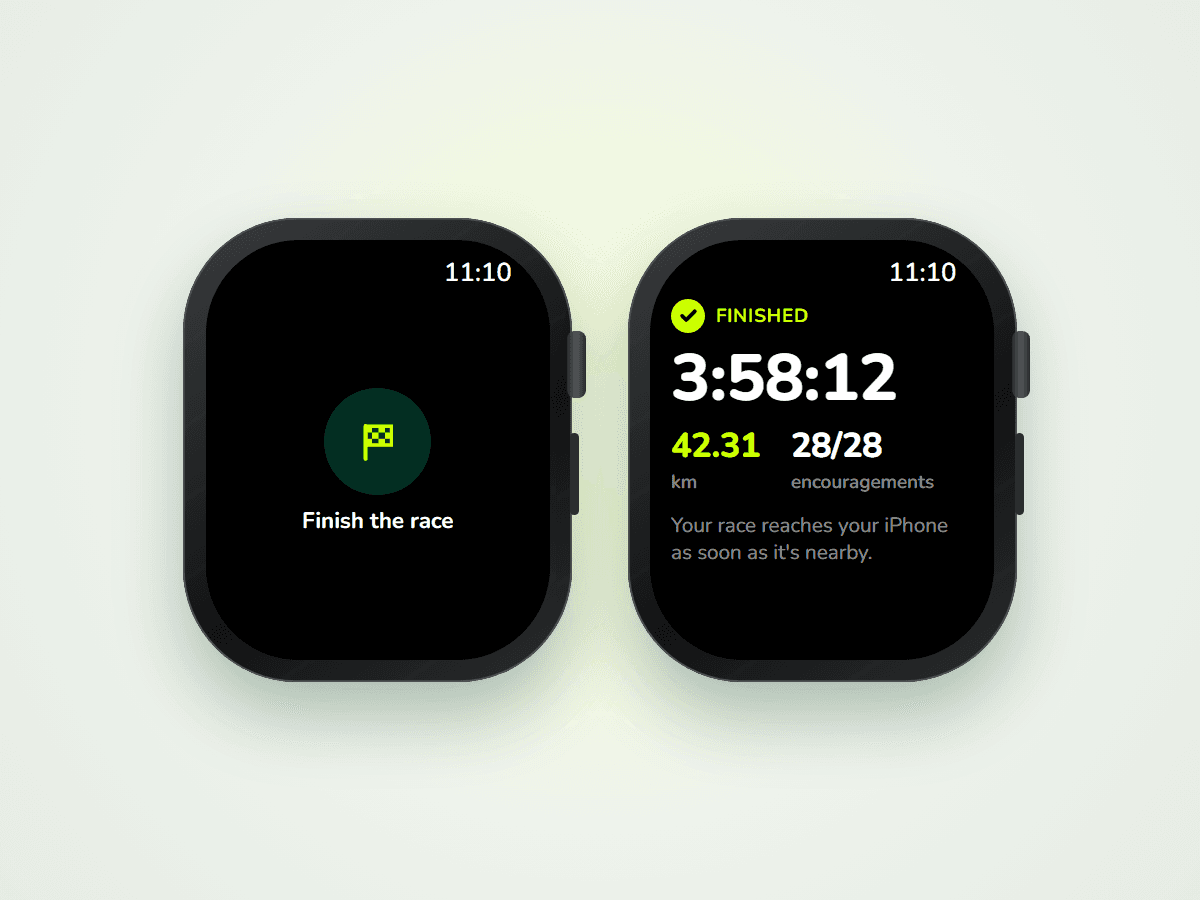
Once you've crossed the line, tap Finish the race. You'll see a short summary (time, distance, encouragements heard), then your race syncs with your iPhone as soon as it's nearby. To stop without finishing your race, tap the small Quit button, just below.
Your questions
Which watches are compatible?
You need an Apple Watch on watchOS 10 or later, which means a Series 4 or newer (SE and Ultra included). Your iPhone needs the latest version of Cobbr.
Can I start the race early?
No: the race starts only on race day, from your watch. Before that, it shows "Available on race day".
Can I still run with my iPhone?
Yes, but not a race synced to your watch: once synced, it can no longer be started from your iPhone. Remove it from your watch first ("Don't run with my watch"). And if you're running with your iPhone on you, we actually recommend starting Cobbr on your iPhone rather than on your watch: you'll get every feature.
Which settings should I check before I go?
- Precise Location: Cobbr needs your precise position to know which kilometer you're at. Make sure "Precise Location" is turned on for Cobbr (Settings > Privacy & Security > Location Services > Cobbr).
- Low Power Mode: we don't recommend it during the race. GPS is less accurate in that mode, and your encouragements may play a little off.
Can I start the race on my iPhone and my watch at the same time?
No. Once your race is synced to your watch, it can no longer be started on your iPhone. To start it on your iPhone, remove it from your watch first.
Does it work on a treadmill or indoors?
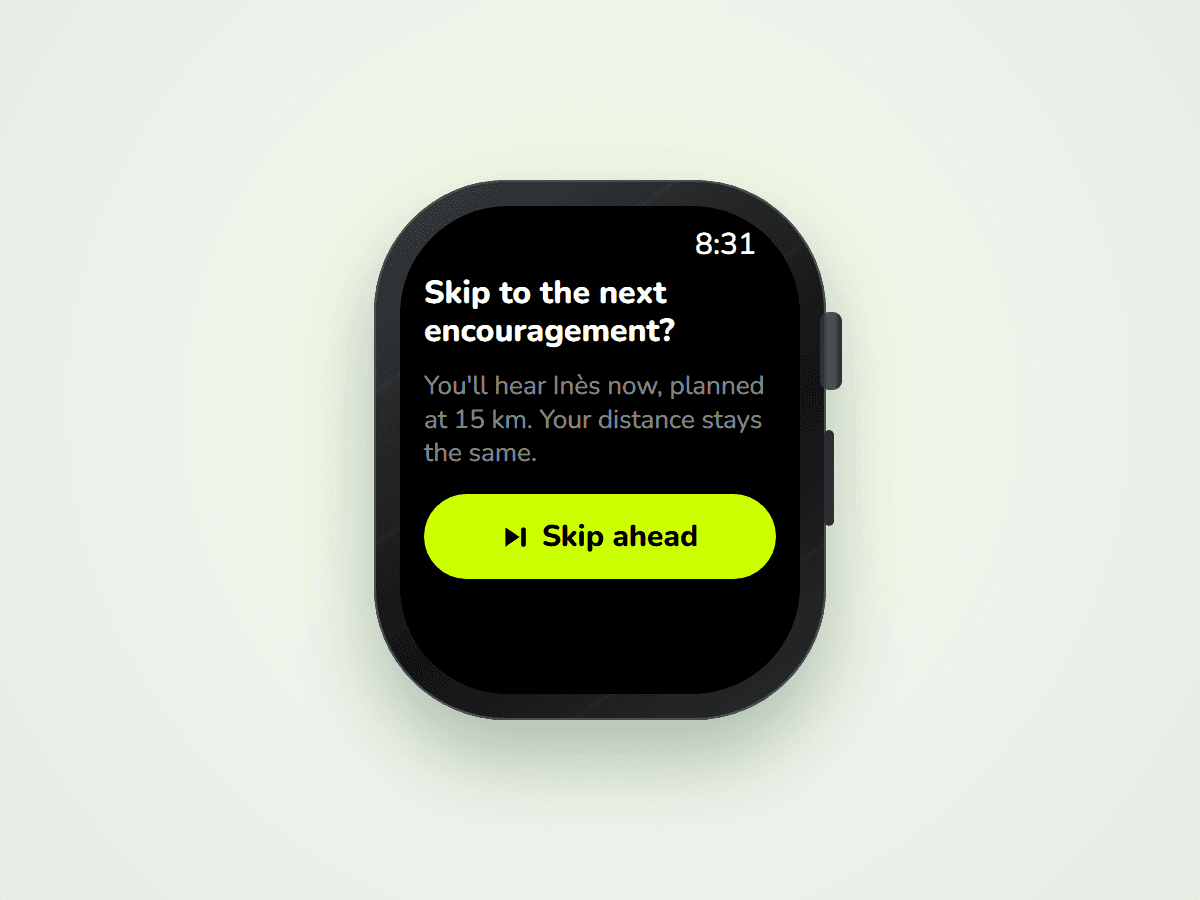
Not really: Cobbr measures your distance with GPS, which doesn't work on a treadmill or indoors. If you run inside, use the "Skip to the next" button to move to the next encouragements by hand.
How do I hear my encouragements?
With Bluetooth headphones (AirPods or others) connected to your watch, not to your iPhone: otherwise, your encouragements play through the watch speaker. If you're listening to music or a podcast, it goes down during each encouragement, then comes back. For running, we recommend headphones: it's more comfortable and you won't miss a thing.
Do I need a connection during the race?
Not for your synced encouragements: they're already on your watch and play even without a connection. Live (live tracking and live encouragements) needs a connection on your watch, for example a cellular watch (see "Good to know before running with your watch" above).
Can I listen to my encouragements again after the race?
Not on the watch: once the race is finished, it disappears from your watch. To listen to your encouragements again, head to your iPhone, with Cobbr's replay option.
Why "Beta"?
Because it's brand new, and we want to make it better with you. If something doesn't work as expected, or if you have an idea, write to us: we read everything.
Your turn
Your next race is coming up? Open Cobbr on your iPhone, choose "Run with my Apple Watch", and let your loved ones carry you to the finish line, right on your wrist. 💙